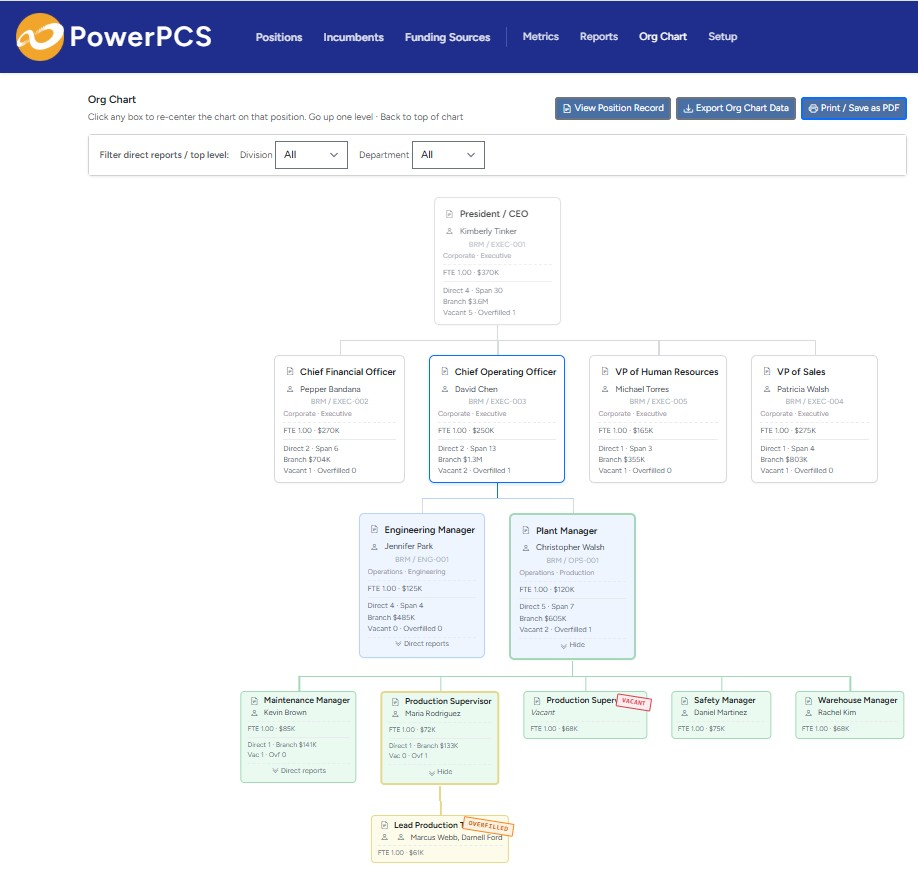
In government, the position is the budget
In the public sector, headcount isn't a management preference — it's a requirement. A council, board, or legislature approves a specific number of authorized positions, each tied to a fund and an FTE, and hiring outside that authorization isn't allowed. Position control is the discipline that keeps actual staffing inside what was legally required, and produces the record that proves it.
That's as true for a county, city, or town as it is for a special district — fire, water, library, parks, transit, or housing — or an independent state agency, authority, or commission. Any public body that staffs to an approved budget runs on position control, whether or not it has a system for it.
What makes public-sector headcount hard
- Authorized counts are binding. "Authorized" vs. "filled" isn't informational — exceeding the authorized count is a compliance problem, not just a budget one.
- Funding is restricted and layered. Positions draw from the general fund, dedicated funds, and grants, each with rules about what it can pay for and separate reporting obligations.
- Everything is on the record. Budgets, board actions, and audits are public. Headcount questions arrive from auditors, elected officials, and citizens, and the answer has to be defensible.
- Frozen and held positions are common. A position can be authorized but deliberately held vacant as a budget measure — a state a headcount number alone can't capture.
- Reorganizations happen mid-year. Positions get reclassified, moved between departments, or split across funds, and the authorized structure has to keep up.
What position control gives a public agency
- Enforcement of authorized headcount — filled, vacant, and held positions visible against what was appropriated, at any moment
- Positions tied to funds and grants, so committed salary by funding source is answerable on demand
- Exact FTE by position and incumbent, including partial and shared assignments
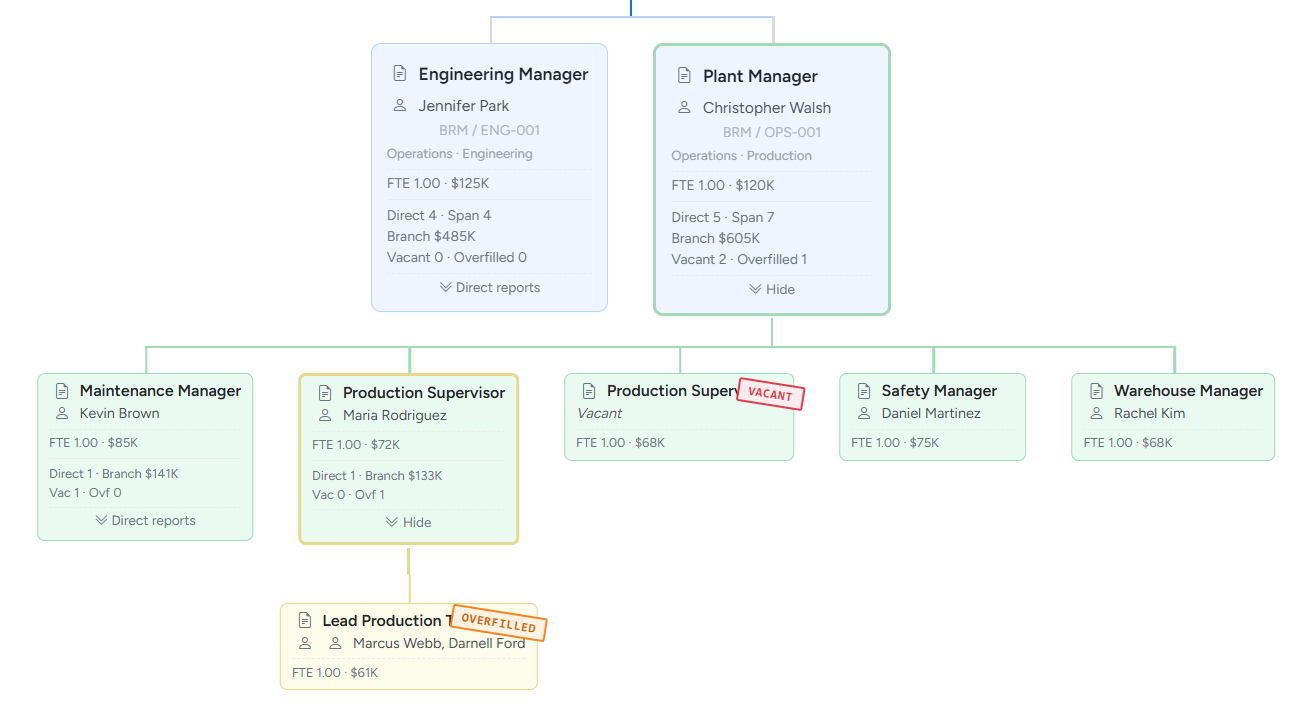
- Overfill detection, so a department drifting over its authorized count surfaces immediately
- Vacancy tracking, including intentionally held positions, so budget savings and coverage gaps are both visible
- A complete, defensible change history for audits, public-records requests, and board inquiries
The recurring question: "Are we within our authorized positions, by fund, right now — and can we prove it?" A spreadsheet can hold the authorized numbers, but it can't keep them reconciled against live payroll across every fund and department. That reconciliation is the entire job of position control software.
GFOA's own ten-step checklist for position control
This isn't just our framing. The Government Finance Officers Association — the profession's own standards body — publishes a ten-step checklist for implementing position control.[1] Here's how each step maps to what PowerPCS actually does.
- 1. One position per employee. Positions and the people filling them are separate records in PowerPCS — hire a second person into the same role and you get a second position, not a duplicate.
- 2. A unique ID for every position. Company and position number are unique together; department, funding source, title, and FTE all live on that record, and Data Check flags any number that gets reused.
- 3. Job classifications. Attach a job code to a position to share a pay-grade range across every position in that classification.
- 4. One central listing. Every position shows its status — vacant, filled, partially filled, or overfilled — against its budget, across the whole organization, not department by department.
- 5. Compliance checking. A position's approved pay range sits right next to its actual pay. Data Check flags duplicate numbers, broken reporting lines, and unbudgeted positions before an auditor finds them, and an over-allocated incumbent — combined FTE over 1.0 across their assignments — triggers its own warning.
- 6. Keeping the list current. Reclassify a position, change its funding, or adjust its FTE, and PowerPCS writes a dated history entry automatically — no separate change log to maintain by hand.
- 7. A process for modifying positions. Every edit is timestamped and attributed, giving HR a clean record to support its own internal-equity review when a position is reclassified or updated.
- 8. Someone has to own it. Finance, HR, and Budget can each have access at the level they need — Owner, Admin, Editor, or Read-Only — so one group can run position control without locking everyone else out of the data they still need to see.
- 9. A rule for over-filling. Turn on "Allow Multiple Active Incumbents" on a position and PowerPCS tracks the overlap as OVERFILLED — a real status, not a data error to clean up later.
- 10. Implementing it. PowerPCS is the dedicated position-control layer GFOA describes in step 10 — sized and priced for an agency that doesn't need a six-figure ERP module to get there. Model a raise, a reclassification, or a new position before committing it, promote it when it's approved, and the live budget stays the system of record.
[1] Government Finance Officers Association, "Ten Steps to Implementing Position Control," Government Finance Review, December 2023.
Why the ERP isn't enough on its own
Most agencies run a financial ERP and a payroll system. Those track dollars and paychecks — not authorized positions vs. filled positions by fund. The position-control layer — the personnel budget, position by position — either lives in an expensive, heavily-configured ERP module or, far more often, in a personnel-budgeting spreadsheet the budget office maintains by hand. Both routes are more cost and upkeep than the problem warrants for most small and mid-sized agencies. A small town or special district isn't going to stand up a six-figure, consultant-installed ERP module to control a few dozen positions — and shouldn't have to. A focused position control tool covers that specific gap and sits alongside the ERP you already run.
Where PowerPCS fits
PowerPCS is position control sized for local government, special districts, and small-to-mid-sized agencies: authorized-vs-filled tracking, positions tied to funds, exact FTE, overfill and vacancy detection, and a full change history for audit and public-records defensibility. It's 100% self-serve with a flat monthly price by position count — no per-seat fees, no procurement-scale implementation, no sales call. For the smaller public entity, it's priced to buy the way you actually buy software, not the way you run a capital project. The result is personnel budgeting you can defend line by line — every authorized position costed, funded, and reconciled to payroll, not rebuilt in a spreadsheet each cycle. Start a free trial and see your own positions in it the same day.
Related: position control for K-12 school districts, colleges & universities, and nonprofits. See real audit findings: what goes wrong without position control.