Position Management
Every position in your organization gets its own record — independent of the people who fill it. Define its classification, budget target, organizational placement, and effective dates.
Positions persist through turnover. When an incumbent leaves, the position goes vacant. When a new incumbent is assigned, it goes filled. The position itself never disappears.
- Job title, classification code, and position number
- Status auto-calculated: filled, vacant, or overfilled
- Up to eight configurable org levels
- Budgeted FTE and salary targets per position
- Active/inactive position tracking
- CSV import for bulk loading existing position data
Incumbent Tracking
Assign employees to positions with FTE amounts, effective start and end dates, compensation data, and pay rate type. The system tracks the full history of who held every position and for how long.
One employee can hold multiple positions simultaneously. One position can have multiple incumbents — as long as their combined FTE doesn't exceed the budgeted amount.
- Name, employee ID, and hire date
- FTE allocation per position assignment
- Effective start and end dates
- Hourly, salaried, per diem, and contract pay rate types
- Annualized budget cost auto-calculated
- Full history retained — nothing is ever erased
FTE & Budget Analysis
The position-to-company view above is built on this: budgeted vs. actual FTE and cost, reconciled and rolled up at any level of the org.
- Vacancy cost — what unfilled positions cost in lost productivity
- Overage identification — combined incumbent FTE > authorized
- Roll up by org level (department, division, etc.)
Configurable Org Hierarchy
Map your organization across up to eight levels. Label them whatever your organization uses — Division, Department, Unit, Cost Center, Program, Grant Fund, School Site, or anything else.
Positions are slotted into the hierarchy. Reports, filters, and budget rollups all follow the same structure.
- Up to 8 configurable org levels
- Custom label names per level
- Filter any report or list by org level
- Budget rollup follows hierarchy
- Reports-to relationship tracking between positions
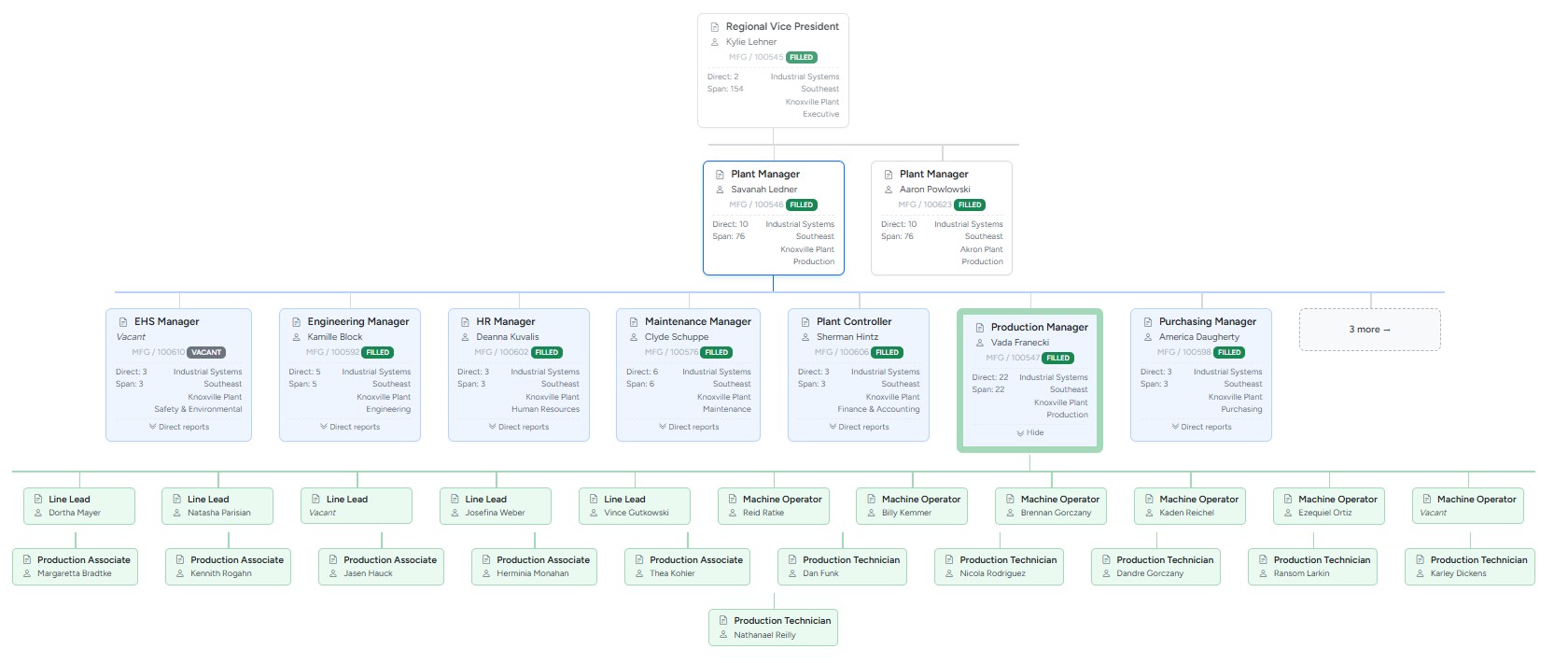
- Interactive onscreen org chart — click any box to re-center
Custom Reports
Build reports with the columns you need and the filters that matter to you. Save your report configurations. Export to CSV for any downstream use in finance, payroll, or board reporting.
- Choose from all position and incumbent fields
- Filter by org level, position status, FTE range, or any field
- Save named report templates for reuse
- Export to CSV anytime
- Vacancy and overfill summary reports
- Budget vs. actual cost reports
Full Audit History
Every change to every position and incumbent is recorded permanently: what changed, what it changed from and to, who made the change, and when. Nothing is ever quietly overwritten.
When your auditor, board, or Finance asks what the headcount looked like 18 months ago — you have the answer.
- Change log on every position and incumbent record
- Before/after values for every field
- User and timestamp on every entry
- Free-text reason noted on every incumbent change
- Permanent — no cleanup or expiration
Self-Serve Everything
Sign up, import your data, upgrade, downgrade, and cancel — all without talking to anyone. Billing is handled securely through Stripe. Your data is exportable any time, in a format you can use.
- 14-day free trial, no card required to start
- Upgrade or downgrade your plan anytime
- Cancel in-app — no retention flow, no gauntlet
- One-click data export (positions and incumbents to CSV)
- Secure billing via Stripe
- No sales calls, no implementation fees